Codeminers

Case study

NovaBank Pulse

A concept mobile banking case built around a credit card workspace, PIN and NFC entry, card controls, transaction history, cashback and personal finance overview.
NovaBank Pulse

Project context

NovaBank Pulse is imagined as a mobile-first bank for customers who use a card as their main daily financial instrument. The screens show a product that has to combine fast account review, card-level actions, transaction history, limits, Apple Pay, PIN entry, NFC card detection and a high-level view of all balances.

Client challenge

The challenge was to make the app feel quick and light while still covering sensitive banking moments: authentication, card binding, spending control, payment actions, transaction search and multi-product navigation. The interface had to keep the most common decisions close to the user without turning the home screen into a dense banking dashboard.

Scope

Mobile product implementationCustomer journey developmentRelease and QA supportLong-term support readiness

Outcomes

Improved structure for customer-facing product journeysA foundation for ongoing product growthSupport for stable release and product evolution

Technology scope

Retail mobile bankingCard managementNFC onboardingTransaction feed

Retail banking concept

A card-first mobile bank for daily spending, control and quick financial context.

The case is organized around five visible flows from the screenshots: secure PIN access, NFC-based card discovery, account overview, card management and a finance hub. Together they form a compact banking app where a customer can understand today’s spending, move money, open statements, control card settings and see the broader financial picture from one mobile product.

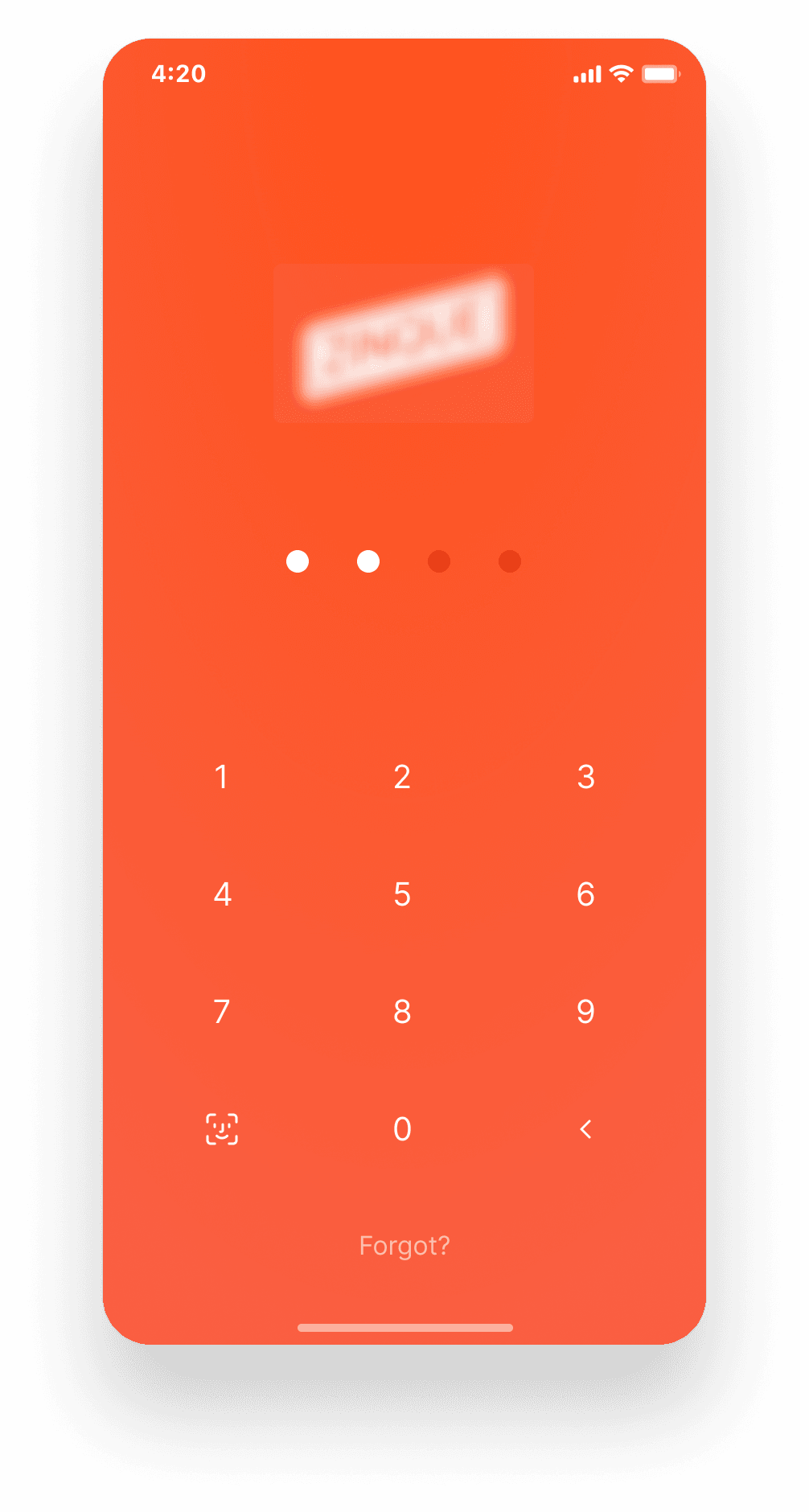
PIN login with biometric fallback
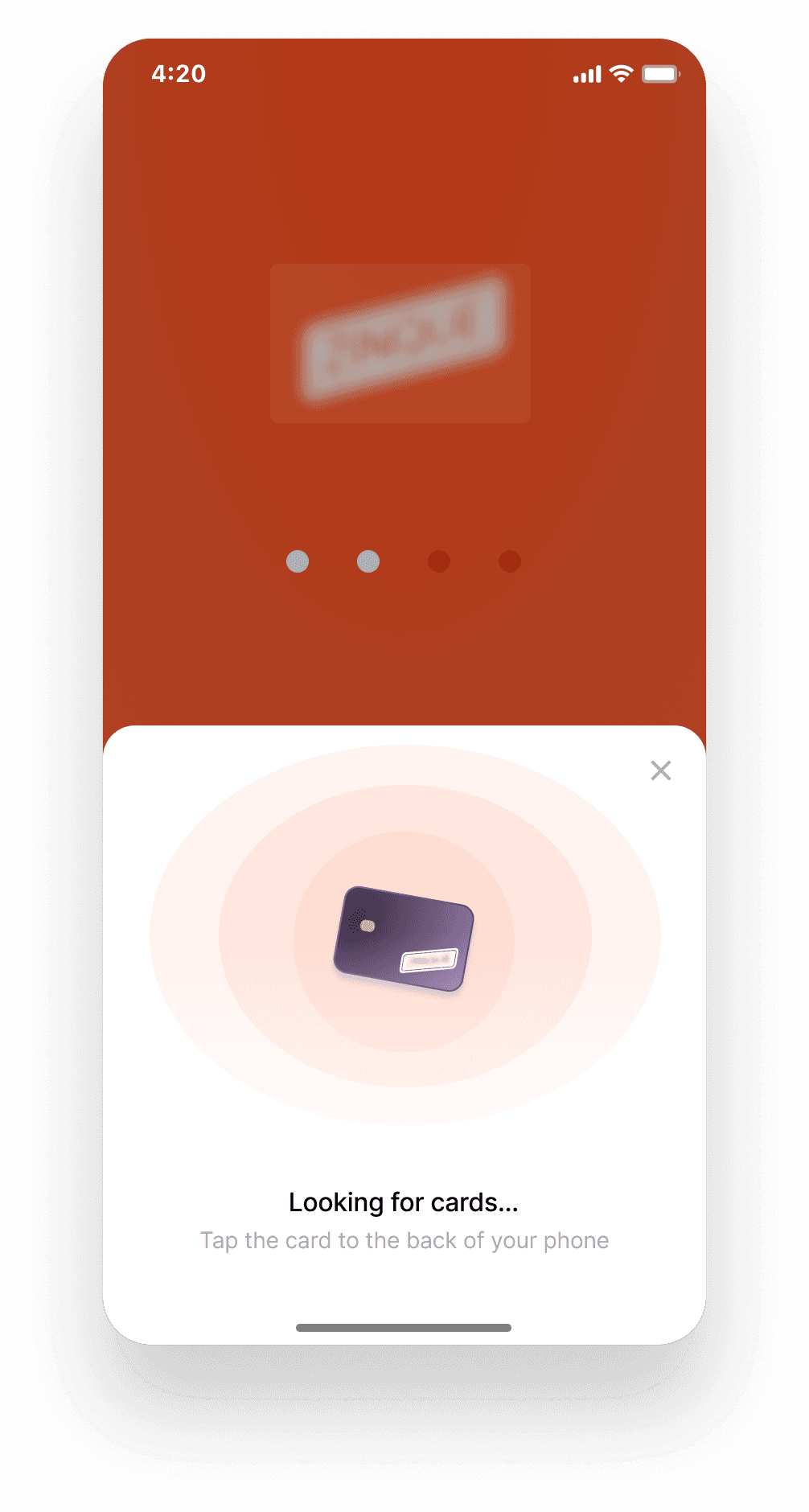
NFC card detection during onboarding
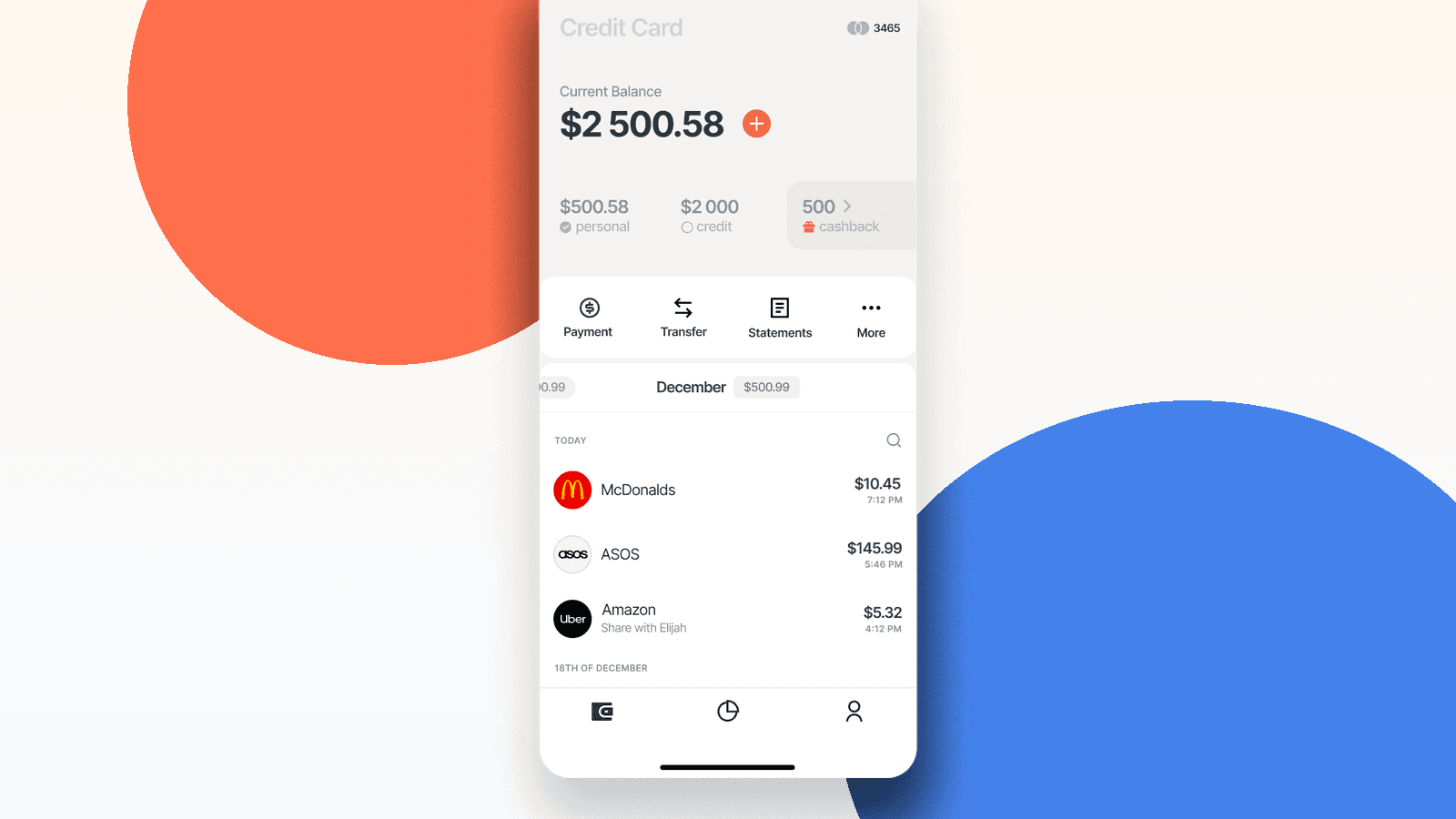
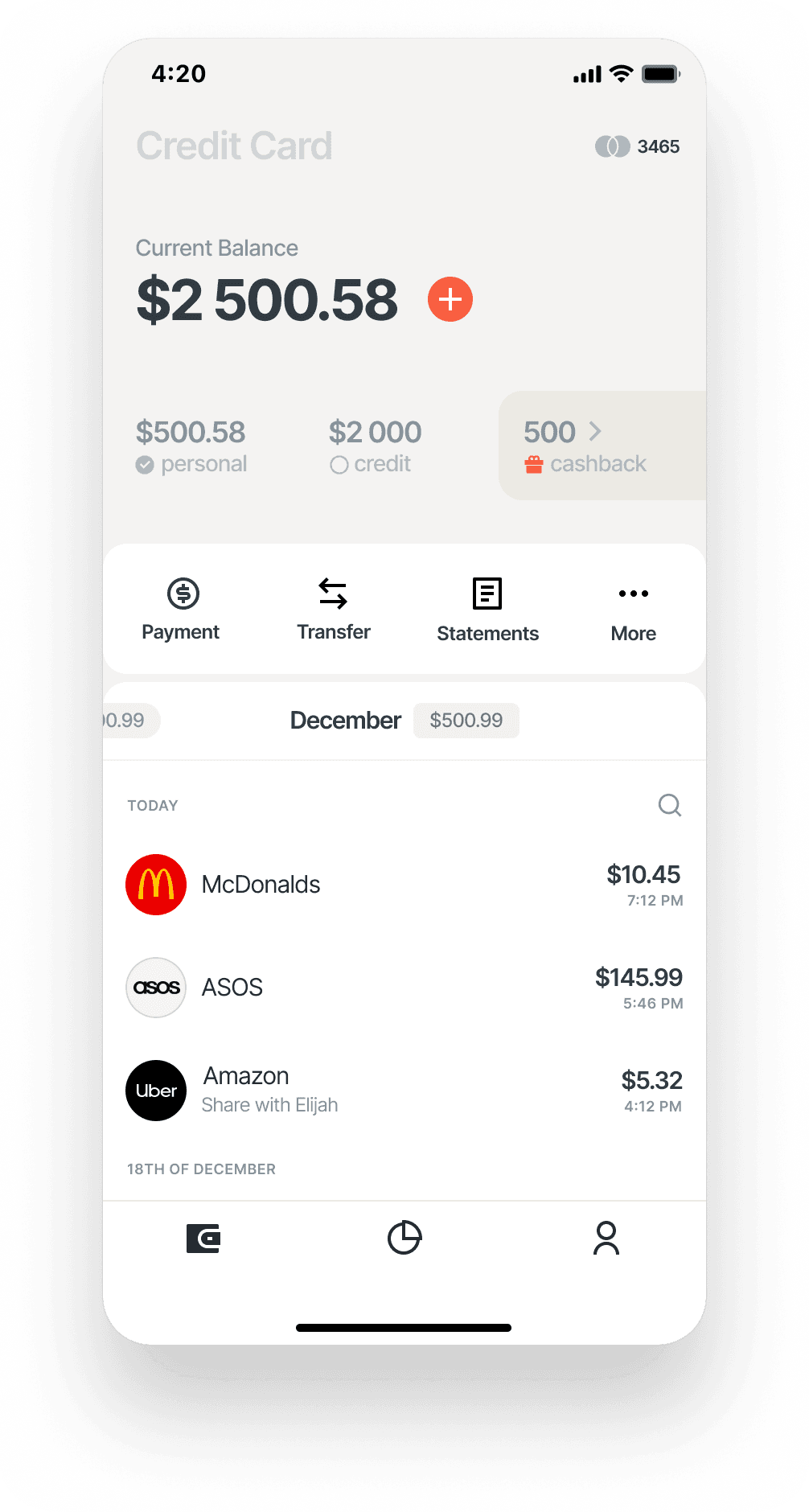
Credit card account overview and transaction feed
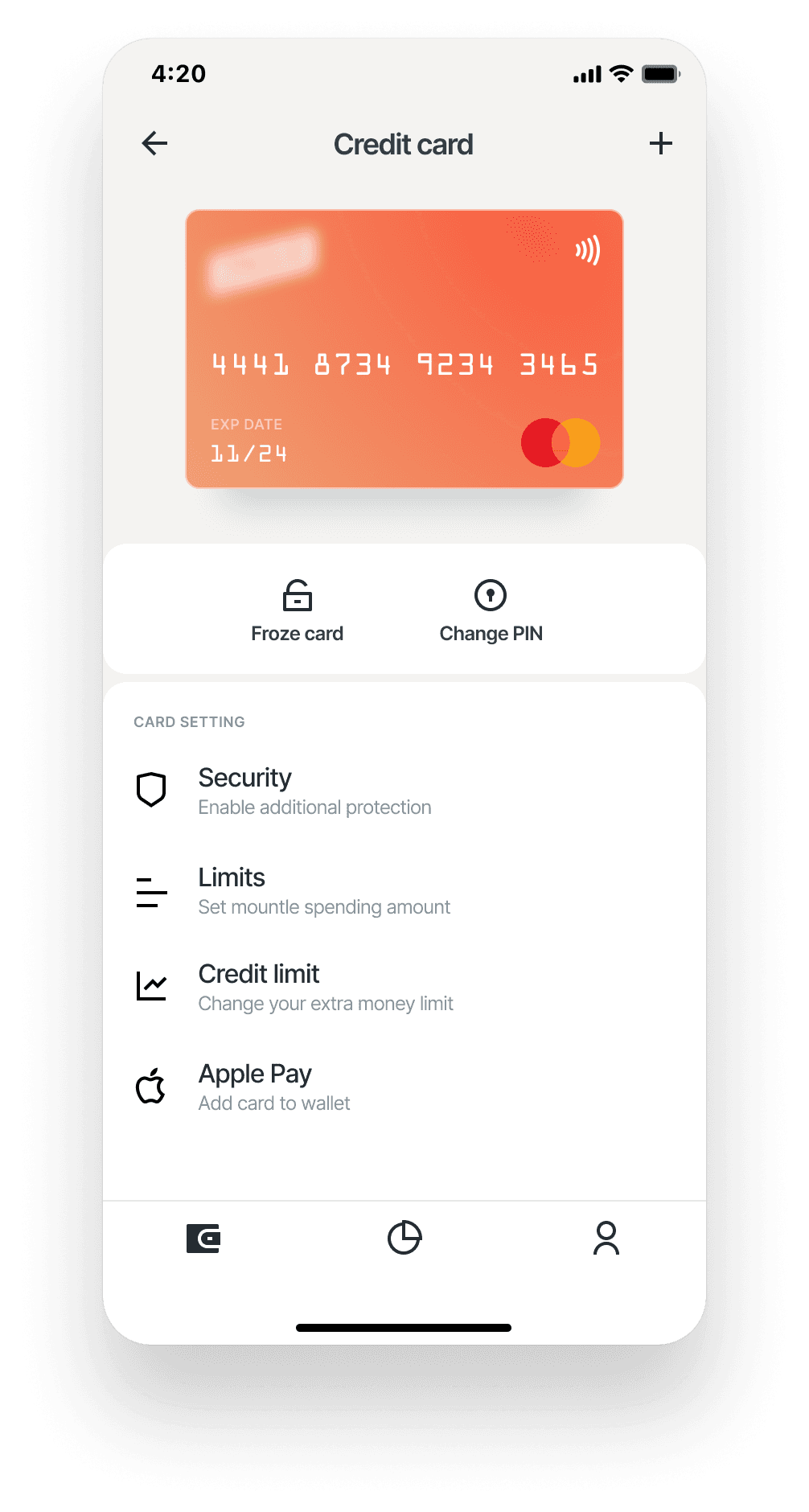
Card settings, limits, PIN change and Apple Pay
Finance hub with balances, recent payments and pay-off reminder
Credit card account overview with transaction feed

What the product covers

Daily account workspace

The account screen combines current balance, personal and credit amounts, cashback, payment shortcuts, transfer entry, statements and transaction search. It works as the customer’s primary place to understand what happened today.

Card control layer

The card screen gives immediate control over risk and convenience: freeze card, change PIN, enable additional security, set spending limits, review credit limit and add the card to Apple Pay.

Lightweight onboarding

The login and NFC detection screens reduce the distance between first entry and card activation. The user can authenticate through PIN or biometrics, then connect a physical card by tapping it to the back of the phone.

PIN login and biometric entry screen
NFC card detection bottom sheet

Screen-by-screen product reading

Authentication and trust

The PIN screen uses a high-contrast branded background, large touch targets and a visible four-digit progress indicator. A biometric icon gives returning users a faster option, while the forgot-password path remains visible without competing with the primary login action.

NFC card activation

The card discovery modal turns a technical NFC action into a guided step. The copy tells the user exactly what to do, the illustration explains the physical card interaction, and the bottom sheet keeps the user inside the banking context rather than sending them to an external instruction page.

Account and transaction reading

The account overview is built for quick scanning: current balance at the top, a plus action for adding funds, a compact breakdown of personal funds, credit amount and cashback, then payment, transfer, statements and more actions. The transaction list shows merchant, amount, time and notes, which makes the screen useful without additional navigation.

Card settings and risk controls

The card detail screen separates immediate actions from deeper settings. Freeze card and change PIN sit above the fold, while security, limits, credit limit and Apple Pay are grouped as card settings. This keeps urgent controls easy to reach and makes less frequent settings easy to understand.

Personal finance hub

The menu screen acts as a compact financial snapshot: recent operations, card balances, account, deposit and a pay-off reminder with days left. It gives the user a broader financial context without losing the mobile app’s lightweight feeling.

Mobile banking screens

The screenshots show the app’s main surfaces: account overview, finance hub, card controls, PIN login and NFC card scanning.
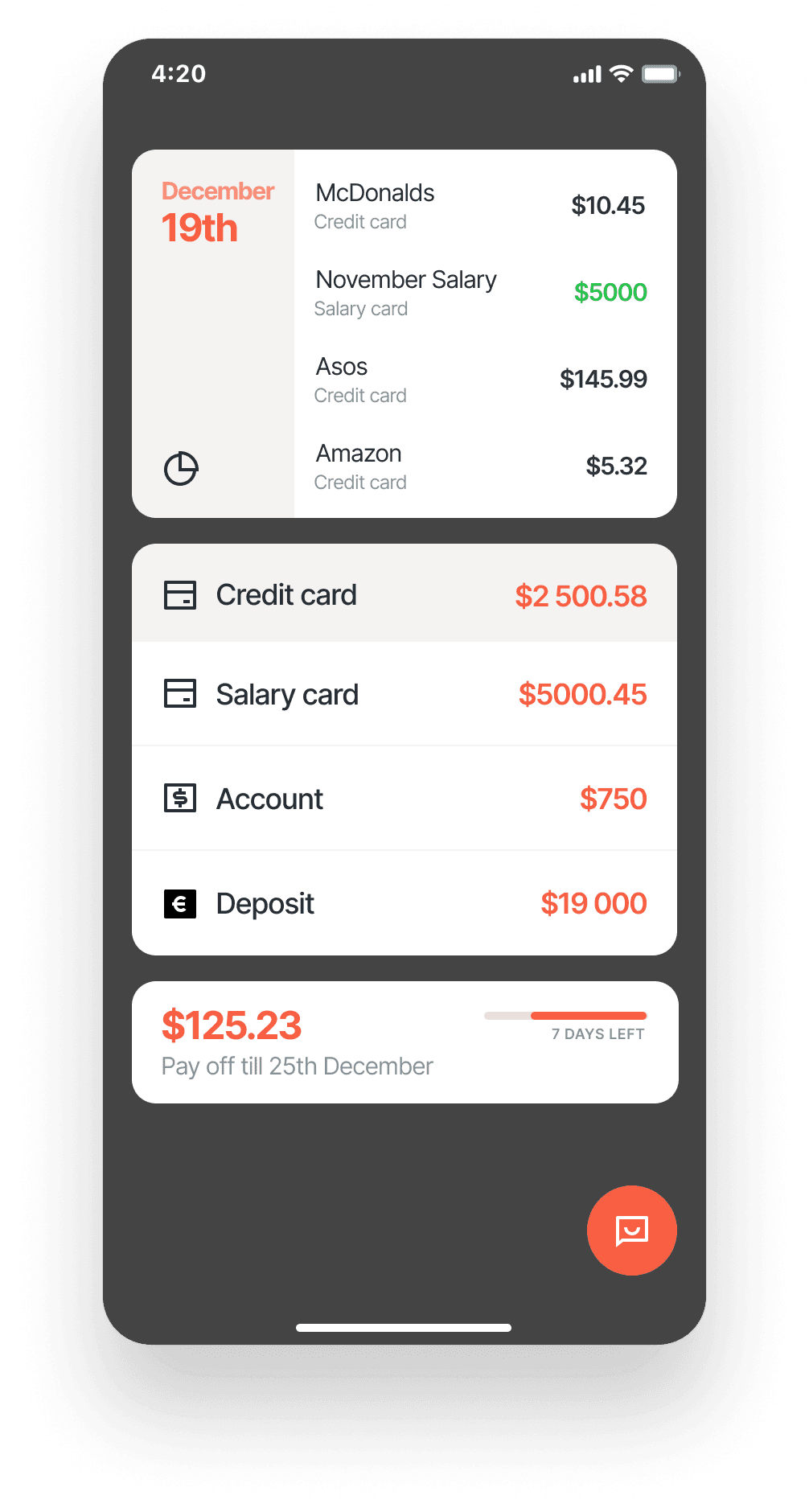
Finance hub with balances, payments and pay-off reminder
Credit card controls and settings screen
Credit card account overview with transaction feed

Product result

Faster daily decisions

The customer can check balance, understand spending, start a payment, move funds or open statements from the account workspace.

Clearer card safety

Risk-related actions are visible and understandable: freezing the card, changing PIN, adjusting limits and adding extra protection are not hidden in deep settings.

Expandable banking foundation

The structure can grow into deposits, credit products, card onboarding, notifications and personal finance insights without replacing the core navigation model.

Looking for a technology partner for a banking or fintech product?

Let’s discuss your product scope, architecture needs and the most suitable delivery model.

Discuss a project